WhatsApp automation sounds like a big-company luxury. In practice it is a small-business survival tool: the shop owner answering the same five questions while serving customers, the clinic receptionist retyping opening hours forty times a day. WhatsApp automation means software handles the repetitive half of your messaging so the human half gets your attention.
This post is the plain-English map: what WhatsApp automation actually covers, the one thing it must never do, and the safe way to start — on the official API, where automation cannot get your number banned.
What WhatsApp automation covers
Think of automation in three layers, from simple to smart.
1. Instant answers to repeat questions
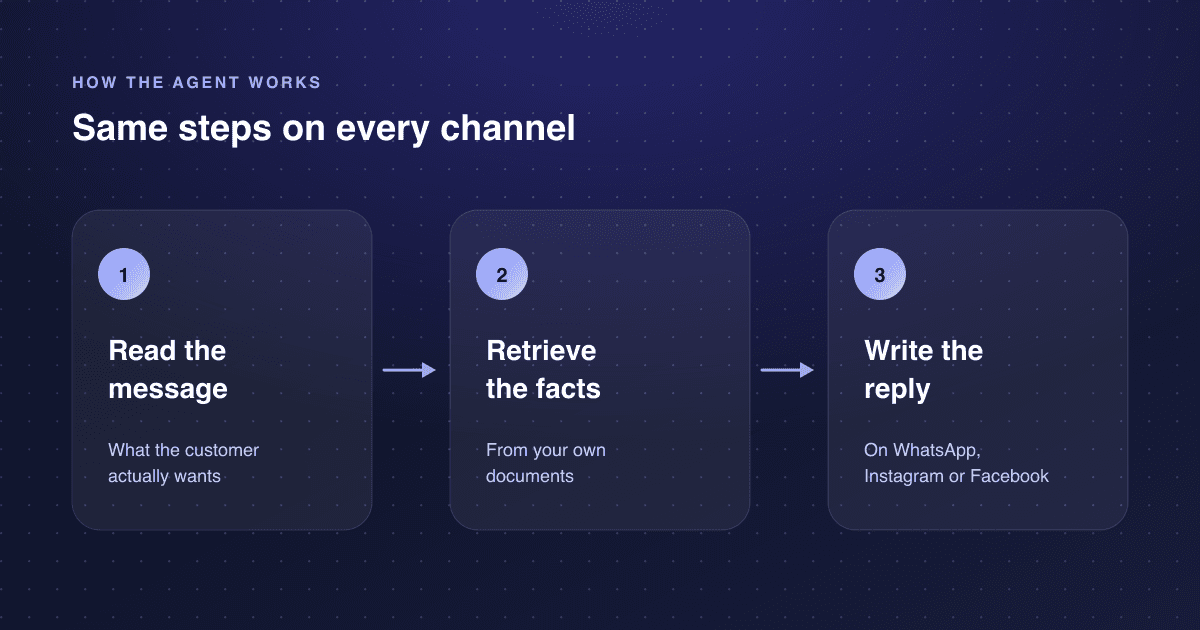
Opening hours, prices, location, delivery times, the return policy. An AI agent reads the customer's message in their own words and answers from your documents in seconds — at midnight, in their language. This is the layer that removes the most work for the least setup.
2. Small jobs inside the conversation
Booking an appointment, confirming an order, collecting an address, sending a quote, registering a complaint with a ticket number. The customer never leaves WhatsApp; the details land in your system instead of on a sticky note.
3. Proactive nudges
Appointment reminders the day before, a delivery-status update without being asked, a follow-up when a quote sits unread. These are the messages that recover revenue silently — no-shows prevented, orders completed, quotes answered.
What it must never do
Automation must never leave a customer talking to nobody. Every automated layer needs the same exit: a human handoff that transfers the whole conversation with context. The unhappy customer, the edge case, the "I just want a person" — these go to a human in the unified inbox, instantly. An automation setup without a clean handoff is not automation; it is a wall.
And the non-negotiable technical rule: automation must run on the official WhatsApp Business API. Browser-automation tools and unofficial bridges get numbers restricted or banned. Neksio runs on the official Meta API — that is what "no ban risk" means in practice.
Where to start: the 80/20 setup
- Write down your ten most repeated questions. That list is the entire scope of phase one — do not automate anything else yet.
- Gather the documents that answer them: price list, policies, FAQ, service descriptions. The agent answers from these, so their quality is the agent's quality.
- Connect WhatsApp on the official API and load the documents. On Neksio this is no-code: no developers, no integration project.
- Decide the handoff rule: when should the agent call a human? Complaints, anything outside the documents, and an explicit request for a person cover almost everything.
- Run it on the free tier with real customers. Neksio Free gives 100 AI replies a month on WhatsApp with no card — enough to automate the repeat questions and watch the handoff work before you spend anything.
The full step-by-step is in how to set up a WhatsApp AI agent, and the underlying technology is explained in the WhatsApp Business API explainer. For the cost picture, see WhatsApp AI agent pricing.
100 AI replies a month on WhatsApp, no credit card. Plans on the pricing page.
الأسئلة الشائعة
- What is WhatsApp automation for small business?
- Software that handles the repetitive half of your WhatsApp messaging: instant answers to repeat questions, small jobs like booking and quotes inside the conversation, and proactive reminders — with a human handoff for everything else.
- Is WhatsApp automation safe for my business number?
- Yes, when it runs on the official WhatsApp Business API. Meta built the API for business automation. The ban risk comes from unofficial tools that automate the app or WhatsApp Web in a browser — avoid those.
- How much does WhatsApp automation cost?
- You can start free: Neksio's Free plan is 100 AI replies a month on WhatsApp, no credit card. Growth is $11.99/month for 15,000 replies plus Facebook and Instagram. Meta bills its own per-conversation WhatsApp fees separately, directly to you.
- Do I need a developer to set up WhatsApp automation?
- Not with a no-code platform. On Neksio you connect WhatsApp, upload your documents, and set the handoff rules — no code, no integration project. The API access itself comes through the platform.
- What should I automate first?
- Your ten most repeated questions. That list is the entire phase one. Automate answers first, then one small job like booking, then reminders. Add the human-handoff rule before any of it goes live.